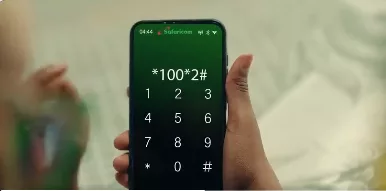
 Dial *100*2# illustrated/ SCREENGRAB
Safaricom has explained how customers with old, inactive mobile lines can restore their numbers from home using another active Safaricom line.
The telecommunications company shared the guidance on Friday, through a video illustrating what happens when a customer leaves a mobile line unused for a long period.
In the video, the character Oti discovers that his old line is no longer working, leaving him unable to make calls, send SMS messages, use data or access M-Pesa through the number.
The video uses the scenario to show customers how they can attempt to recover an eligible inactive line without first travelling to a Safaricom outlet.
Safaricom said customers can dial *100*2# from an active Safaricom line and select “Reactivate your old line” before following the prompts on the phone.
“You can quickly reactivate your old, inactive Safaricom line right from home by dialling *100*2# on an active Safaricom line and following the prompts, provided you still have the old SIM's serial number,” Safaricom stated.
The operator said the old SIM's serial number may be required during the recreation process.
The service is intended for customers who may have stopped using an old number after acquiring another line but later need the number for communication, mobile money or other services linked to it.
Safaricom's video also highlights prolonged inactivity as one of the reasons an old line may stop working.
Customers who leave a number unused for an extended period risk losing access to services attached to it, including calls, SMS, mobile data and M-Pesa.
Once an eligible line has been restored, Safaricom advises customers to keep using it by loading airtime and making use of services such as calls, SMS, data and M-Pesa.
The operator said the reactivation option is subject to the line meeting its applicable requirements, meaning not every inactive number will necessarily be available for recovery.
The guidance comes as mobile users continue to retain multiple numbers, with some keeping older lines that remain linked to contacts, financial services and other accounts even after moving to newer numbers.